


Automatic subtitles online
Speech becomes timed text
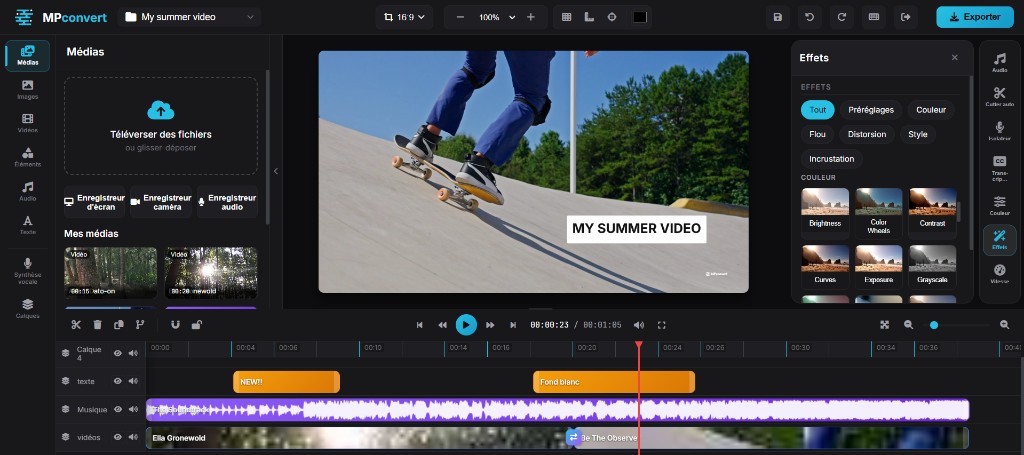
Automatic subtitles transcribe the speech in a video or an audio file, then let you take the text with you. On MPconvert, the tool produces a transcript and an SRT file. To place those captions on the timeline and fix them in the picture, open the editor. Transcription is part of AI Studio: an account and the Starter plan, with AI credits.
- Speech to text
- SRT file
- Starter plan
You need an account and Starter (€11/month, or €110/year). Music with an instrumental track yields a less reliable transcript than speech alone.
How to generate automatic subtitles
- 1
Sign in with a Starter, Premium, or Pro account.
- 2
Import a video or an audio file, then pick the language: French, English, or automatic detection.
- 3
Run the transcription. Review the text, download the SRT, or open the editor to place the captions on the timeline.
What the transcription covers
The tool follows speech. An interview, a tutorial, or a voice-over produces usable text. A song or a loud music bed leaves gaps: the result is partial and needs a read-through.
The free plan does not include AI Studio. Starter unlocks transcription, with 30,000 AI credits a month. Details are on the pricing page. Automatic captions are a starting point, not a finished render: you can edit them.
Alongside
Other tools
Same idea: one job in the browser, then the editor if the film still needs an edit.
Common questions
How do I get automatic subtitles online?
Import the video or audio, choose the language, and run the transcription. You get the text and an SRT file. You need an account and a Starter plan or higher.
Are automatic subtitles free?
No. Transcription is part of AI Studio, from the Starter plan (€11 a month or €110 a year), and it uses AI credits. The free plan does not include it.
Can I correct the subtitles?
Yes. Read the transcript before you download the SRT. In the editor, captions are edited directly on the timeline.
Which languages are supported?
French, English, or automatic detection. Clear speech produces better text than a mix of music and voice.
Edit the rest in the editor
Cut, compress, or merge handles one job. The timeline is for when the film still needs an edit.
Open the video editor